Integration
Connect Discord and Google Calendar
Chronicle Bot connects Discord and Google Calendar in either direction. Create Discord Events automatically from Google Calendar, add Discord-created events to Google Calendar, or enable two-way sync to keep both up to date.
Trusted by Discord Communities Worldwide
- Discord Servers
- 50,000+
- Currently Tracked Events
- 2.7 million
- Monthly Google Updates
- 1.2 million
Google Calendar → Discord
Create Discord Events, reminders, and summaries automatically from Google Calendar.
See how it works ↓Discord → Google Calendar
Add Discord Scheduled Events to a connected Google Calendar automatically.
See how it works ↓Two-Way Sync
Keep events and changes synchronized across both platforms at the same time.
See how it works ↓Start free, then expand when you need more customization
Free
Connect one calendar and start syncing Discord Events up to seven days ahead, get a scheduled Reminder, publish a Summary, and sync the next seven days of Discord Events to Google Calendar. You can chose to enable any combination or all of these features.
Premium
Add multiple calendar connections and unlimited Notifiers, extend Discord Event Sync to 365 days, remove the Event Feed time limit, and customize Reminder and Summary messages with custom templates.
See the complete comparison on the pricing page.
Which direction is right for your community?
Chronicle Bot lets you choose the source of truth for your schedule:
| Event Notifier Google → Discord | Event Feed Discord → Google | Both Two-Way Sync | |
|---|---|---|---|
| Create Discord Events automatically | Included | Not included | Included |
| Add Discord-created events to Google Calendar | Not included | Included | Included |
| Sync edits and cancellations | Included | Included | Included |
| Scheduled reminders and event summaries | Included | Not included | Included |
| Recurring events via Google Calendar | Included | Not included | Included |
| Best for | Calendar-first | Discord-first | Flexible |
Google Calendar to Discord
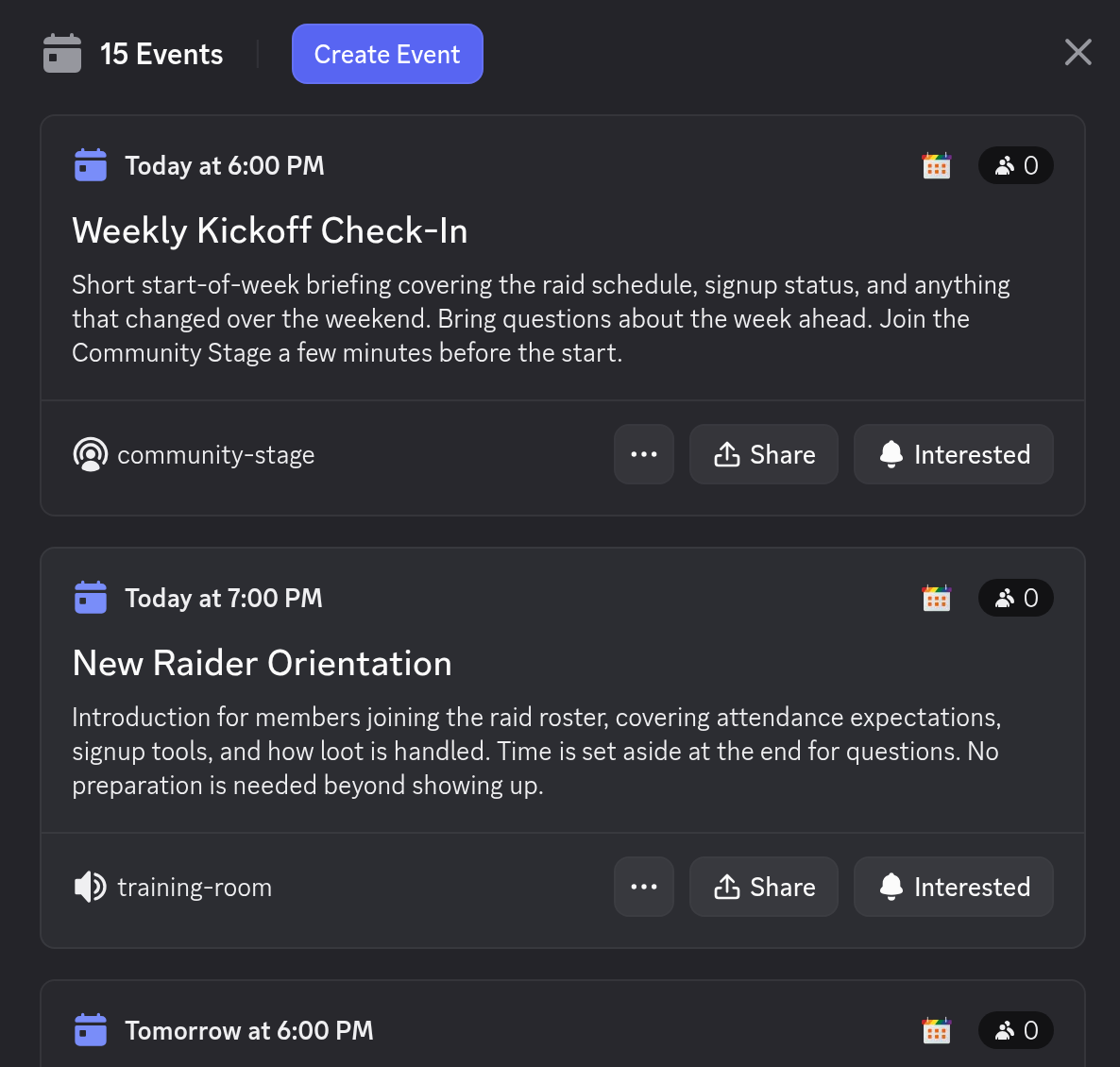
Schedule events using Google Calendar's familiar interface, and let an Event Notifier do the rest. Chronicle Bot watches your calendar for new, updated, or cancelled events and keeps your Discord server in step automatically.
With Discord Event Sync enabled, every calendar entry becomes a real, native Discord Event in your server's Events tab, complete with descriptions, links, cover images, and even a voice channel, all managed from Google Calendar. Recurring events use Google Calendar's scheduling tools, so weekly raids, classes, or meetings only need to be created once.
Add scheduled reminders and daily or weekly summaries and your members always know what's coming up, with times shown in each member's own time zone.
Discord to Google Calendar
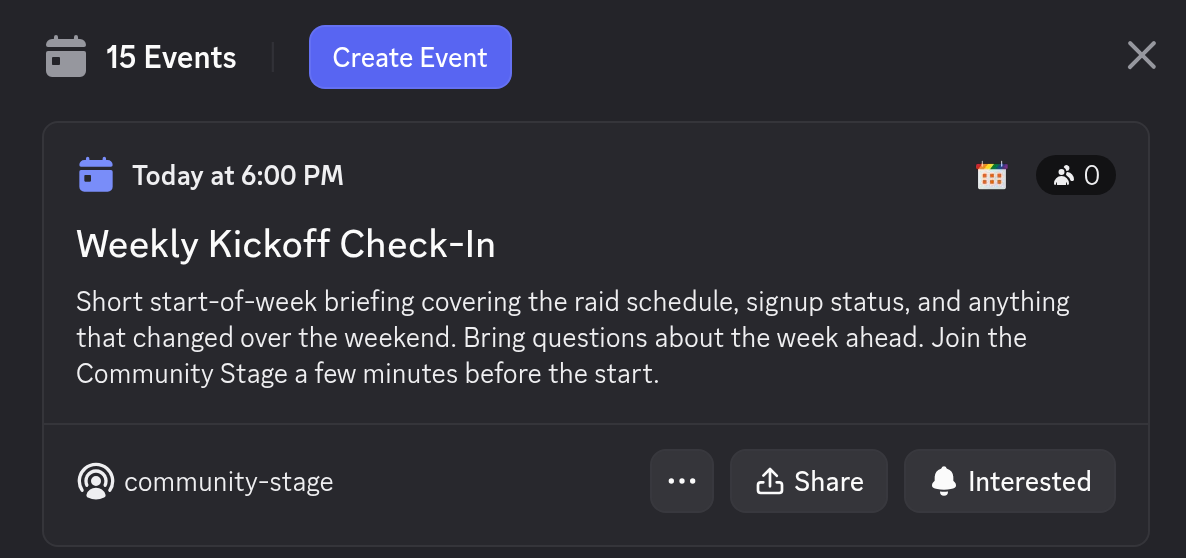
Some communities plan everything inside Discord. An Event Feed works in the opposite direction: it watches the Discord Scheduled Events in your server and automatically adds them to a connected Google Calendar.
When an organizer creates, edits, or cancels an event in Discord, the Google Calendar entry follows. No double entry, no copy-paste. Members and staff get a familiar calendar view of everything happening in the server, and can layer it over their personal calendars.
Learn how to set one up in the Event Feed documentation.
Two-Way Discord and Google Calendar Sync
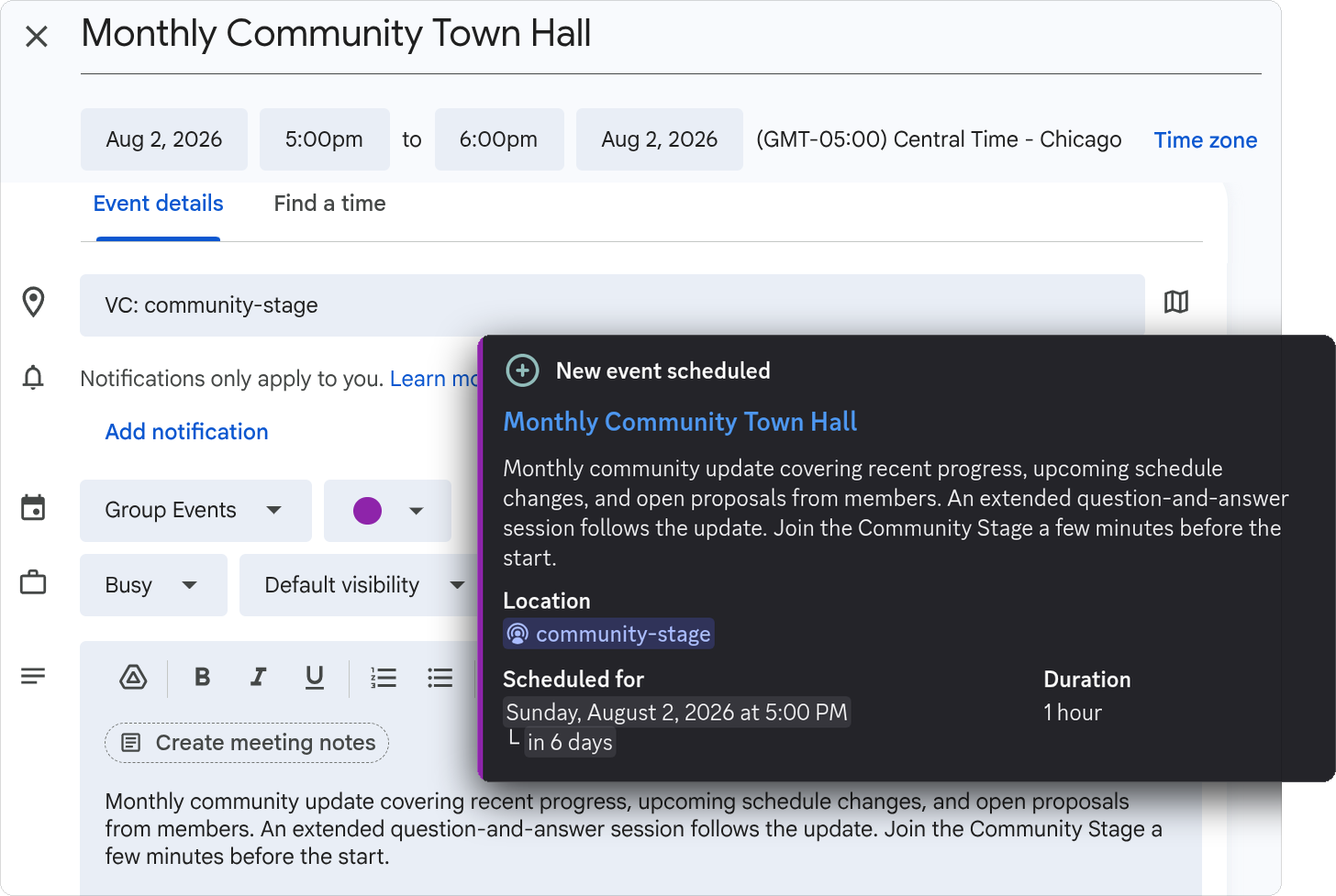
Don't want to pick a single source of truth? Pair an Event Notifier with an Event Feed and Chronicle Bot keeps both platforms synchronized. Create or update an event on either side (Google Calendar or Discord) and the other stays current automatically.
Two-way sync is ideal for communities where staff plan in Google Calendar but moderators and members also create events directly in Discord. Everyone works where they're comfortable, and nothing falls out of date.
Set up in about 5 minutes
- 1
Add Chronicle Bot to your Discord server
- 2
Connect a Google account (or paste an iCal feed URL)
- 3
Choose a calendar, server, and channel
- 4
Select the desired features and go
Step-by-step instructions are in the Getting Started guide.
FAQ
Integration Questions
How events move between Google Calendar and Discord.
Can Google Calendar automatically create Discord Events?
Can Discord Events be added to Google Calendar?
Does Chronicle Bot support two-way synchronization?
What happens when an event is changed or cancelled?
Can one Discord server connect to multiple calendars?
Does it work with calendars other than Google Calendar?
Still stuck?
Ask in our Discord. We answer there ourselves.
Open the support Discord →Connect your first calendar today
Add Chronicle Bot to your server and have Google Calendar talking to Discord in about 5 minutes. Core features are free.
Explore Chronicle Bot
Discord Calendar Bot
Give your Discord community a calendar that stays organized automatically.
Learn more →Discord Event Reminder Bot
Automatically remind your Discord community before every event begins.
Learn more →Pricing
Start free, upgrade for $4.99/month or $49.90/year per Discord server.
Learn more →