Event Reminders
Never Let Your Community Miss an Event Again
Chronicle Bot automatically reminds your Discord members before every event: at the times you choose, in each member's own time zone, without you lifting a finger.
Trusted by Discord Communities Worldwide
- Discord Servers
- 50,000+
- Currently Tracked Events
- 2.7 million
- Monthly Google Updates
- 1.2 million
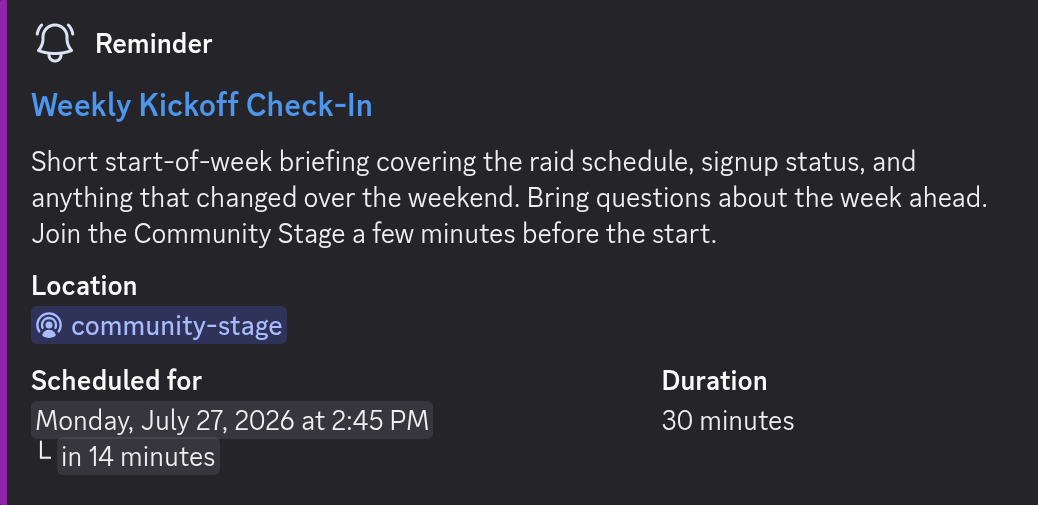
Reminders that send themselves
Set your reminder schedule once (for example, one day and one hour before each event) and Chronicle Bot handles the rest for every event on your calendar. Fewer no-shows, no manual announcements, and no forgotten game nights.
Need a special schedule for one event? Add notification times to that event in Google Calendar and Chronicle Bot turns them into custom Discord reminders for just that event. Full details are in the reminders documentation.
Keep everyone informed when plans change
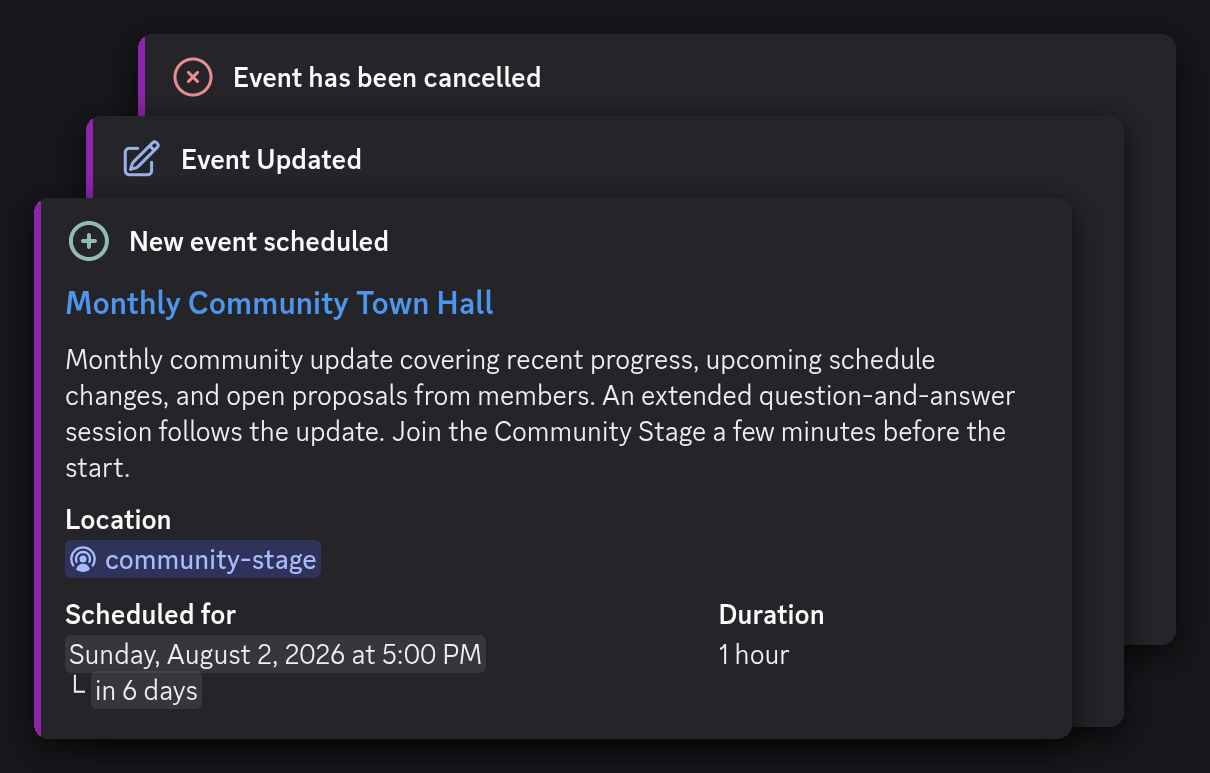
Scheduled reminders are only part of the story. Chronicle Bot can also post an Activity Message as soon as an event is created, updated, or cancelled, so members learn about new events and important changes when they happen.
Choose which activities should send a new message and which should update the event's previous message. You can also combine changes to recurring events to avoid flooding the channel. Learn more in the Activity Messages documentation.
Right time, every time zone
Every reminder shows the event time converted to each member's local time zone automatically. International communities stop doing time zone math in chat. Everyone just sees their own correct time.
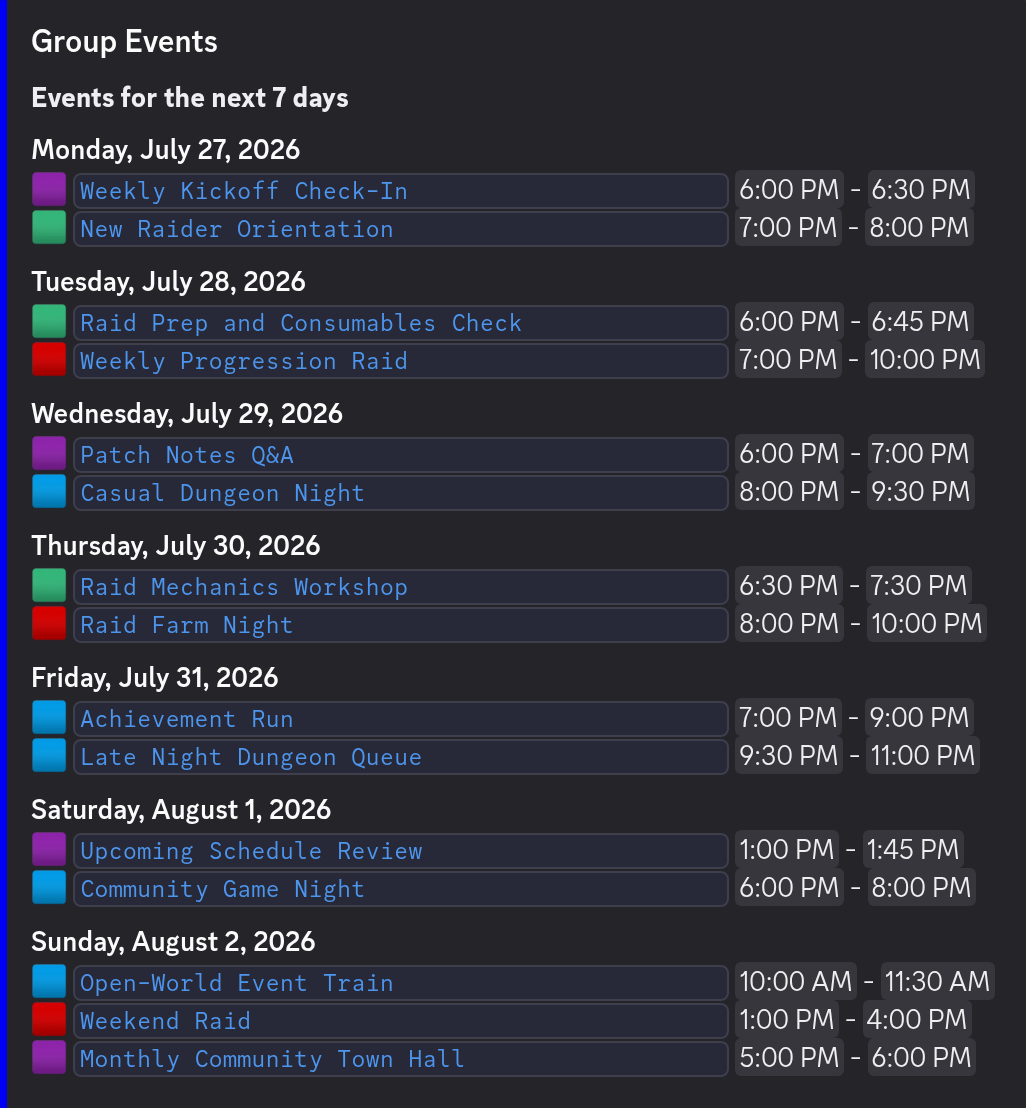
Reminders pair naturally with daily and weekly event summaries and native Discord Event sync, so members see the schedule ahead of time and get nudged as events approach.
Choose one schedule or customize each event
Calendar-wide reminders
Set a standard schedule for every event found by a Notifier. A community might post one reminder the day before and another an hour before start time. New recurring-event occurrences inherit that schedule automatically.
Per-event reminder times
When one event needs different timing, use its Google Calendar notifications. Chronicle Bot can turn those notification times into Discord messages without changing the global schedule for the rest of the calendar.
Set up automatic Discord reminders
- 1
Add Chronicle Bot to your server and select the destination channel.
- 2
Connect Google Calendar for real-time updates or add an iCal feed.
- 3
Create an Event Notifier with your reminder schedule and activity settings.
- 4
Create and update events in your calendar as usual, Chronicle Bot handles the rest.
Free and Premium reminder limits
Free
Configure one calendar-wide scheduled Reminder on your Notifier and as many per-event reminders as needed. We start monitoring for events up to 30 days ahead. Google Calendar changes arrive in real time, while iCal feeds refresh every 12 hours.
Premium
Create multiple scheduled Reminders, search up to 90 days ahead, use custom message templates, connect
multiple calendars, and refresh iCal feeds every hour.
See the complete comparison on the pricing page.
Reminders work especially well for weekly raids, classes, club meetings, livestreams, volunteer shifts, and any event where members benefit from both advance notice and a final prompt shortly before the start.
FAQ
Event Reminder Questions
How reminders are scheduled, timed, and delivered.
Can Chronicle Bot send automatic reminders before events?
Can I set different reminder times for different events?
Does Chronicle Bot handle time zones automatically?
Can I customize what reminder messages look like?
Where do the events come from?
Still stuck?
Ask in our Discord. We answer there ourselves.
Open the support Discord →Put your event reminders on autopilot
Add Chronicle Bot, connect a calendar, and set your reminder times, all in about 5 minutes. Core features are free.
Explore Chronicle Bot
Discord Google Calendar Integration
Connect Discord and Google Calendar in either direction, or keep both in sync automatically.
Learn more →Discord Calendar Bot
Give your Discord community a calendar that stays organized automatically.
Learn more →Pricing
Start free, upgrade for $4.99/month or $49.90/year per Discord server.
Learn more →