Discord Calendar Bot
A Calendar for Your Discord Community
Discord doesn't have a real calendar. Chronicle Bot gives it one. Connect Google Calendar or any iCal feed and your server gets native events, automatic reminders, and always-current schedules.
Trusted by Discord Communities Worldwide
- Discord Servers
- 50,000+
- Currently Tracked Events
- 2.7 million
- Monthly Google Updates
- 1.2 million
Your schedule, visible in Discord
Chronicle Bot posts daily or weekly event Summaries to the channel of your choice, a living calendar view your members actually see. Google Calendar changes update summaries in real time; iCal changes appear after the feed's scheduled refresh. Summaries use color-coded emojis that match your Google Calendar and link each event title so members know exactly where to go.
Every time is displayed in each member's own time zone automatically, which makes international communities dramatically easier to coordinate.
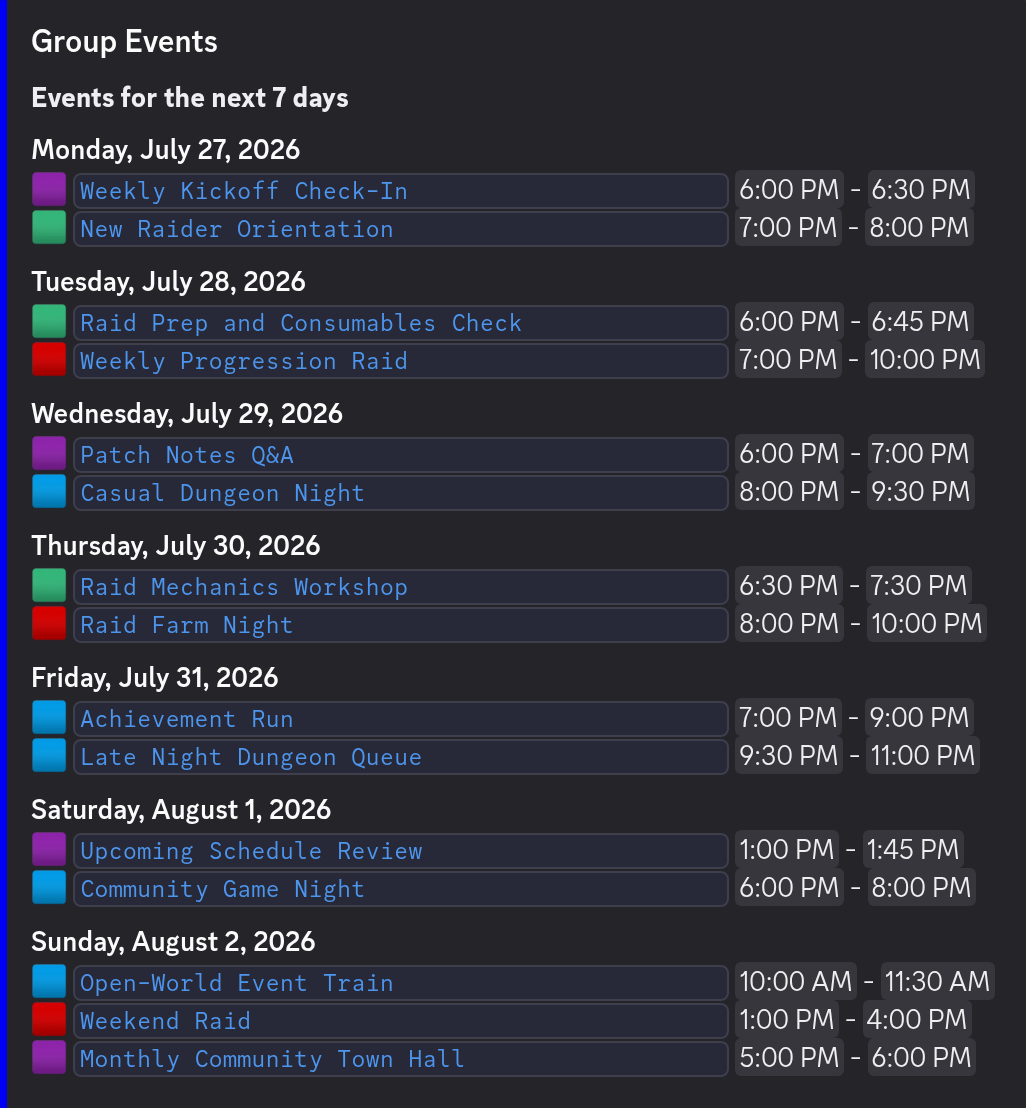
Real Discord Events, created for you
Unlike bots that only post messages, Chronicle Bot creates native Discord Events that appear in your server's Events tab. Members can mark themselves interested and get Discord's own notifications, while Chronicle Bot keeps every detail in sync with your calendar, including cover images and voice channels.
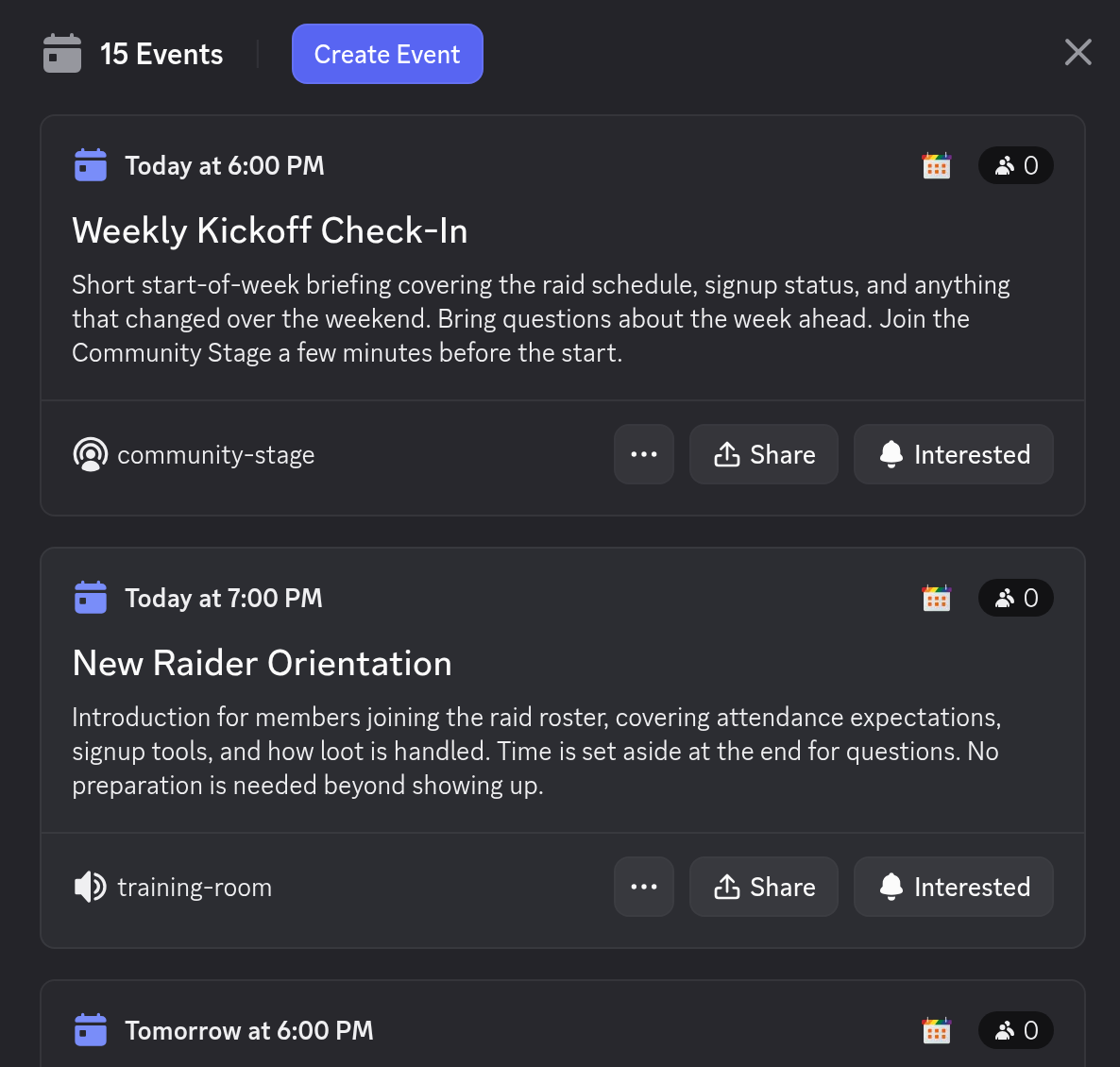
Manage everything from Google Calendar
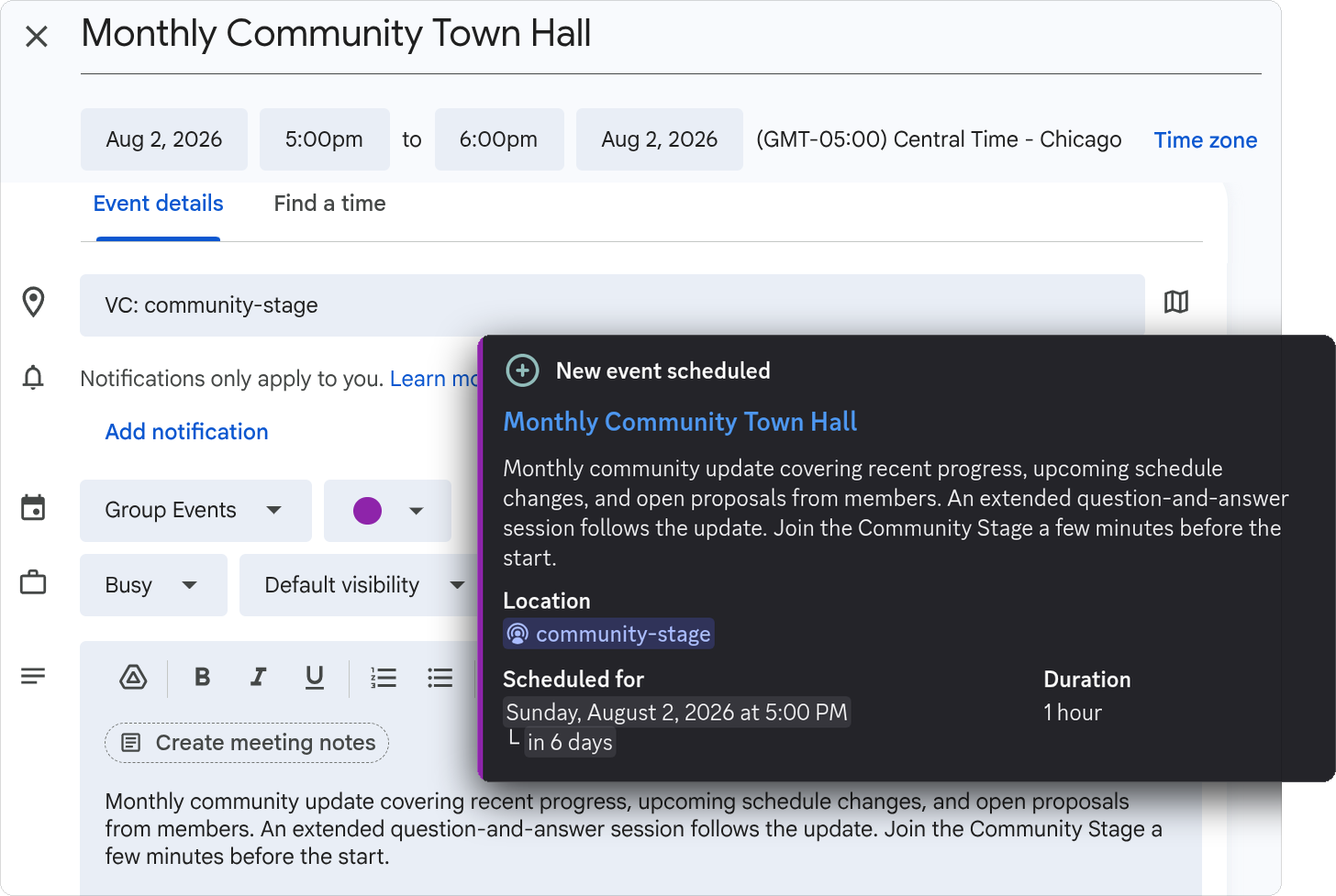
There's no new dashboard to learn: your calendar is the interface. Use Google Calendar's scheduling tools for recurring events, invite co-organizers, and connect multiple calendars if your community runs a busy schedule. Prefer another calendar app? Any iCal/ICS feed works too.
Change something in your Google Calendar (time, description, cancellation, etc.) and Discord updates immediately. No copy-pasting, no stale announcements.
How to add a calendar to your Discord server
Chronicle Bot is designed around the calendar your organizers already use. Setup does not require rebuilding your schedule or teaching staff a new event editor.
- 1. Add Chronicle Bot.
Choose your Discord server and the text (or forum) channel for the bot to send Reminders and Summaries.
- 2. Connect a calendar.
Authorize Google Calendar for real-time push updates, or paste a public iCal/ICS feed from another calendar provider.
- 3. Choose what Discord receives.
Enable native Discord Event Sync, configure a Reminder, and create daily or weekly Summaries. Pick any or all of these features, depending on what your community needs.
- 4. Keep scheduling normally.
Create, edit, cancel, or set recurring events in your Google Calendar. Chronicle Bot handles the corresponding Discord work automatically and in real-time.
Follow the complete process in the Getting Started guide.
Useful for schedules that repeat
Gaming and community events
Plan weekly raids, tournaments, game nights, office hours, classes, volunteer shifts, or livestreams as recurring calendar events. Each occurrence can become its own Discord Event with the correct local time for every member.
Schedules shared beyond Discord
Google Calendar remains useful to organizers, websites, and members who subscribe outside Discord. Chronicle Bot brings that same schedule into the channels where your community already communicates.
What is included for free?
Free servers receive one Event Notifier with one calendar connection, Discord Event Sync up to seven days ahead, one scheduled Reminder searching up to 30 days ahead, one daily or weekly Summary, and one Event Feed covering the next seven days of Discord Events. Google Calendar updates arrive in real time; iCal feeds refresh every 12 hours.
Premium adds unlimited Notifiers, multiple calendar connections, a 365-day Discord Event Sync window,
Reminders searching 90 days ahead, unlimited Event Feed range, custom message templates, and hourly iCal
refreshes.
See the complete comparison on the
pricing page.
FAQ
Discord Calendar Bot Questions
How Chronicle Bot turns a Google Calendar into a Discord schedule.
Does Discord have a built-in calendar?
How does a Discord calendar bot work?
Does Chronicle Bot support recurring events?
Does Chronicle Bot handle time zones automatically?
Is Chronicle Bot free to use?
Still stuck?
Ask in our Discord. We answer there ourselves.
Open the support Discord →Give your server a real calendar
Add Chronicle Bot and connect your first calendar in about 5 minutes. Core features are free.
Explore Chronicle Bot
Discord Google Calendar Integration
Connect Discord and Google Calendar in either direction, or keep both in sync automatically.
Learn more →Discord Event Reminder Bot
Automatically remind your Discord community before every event begins.
Learn more →Pricing
Start free, upgrade for $4.99/month or $49.90/year per Discord server.
Learn more →