Sync Google Calendar Events to Discord Automatically
Stop wrestling with Discord's events. Use Google Calendar instead.
Chronicle Bot
syncs your events, reminders, and updates to Discord automatically.
Trusted by Discord Communities Worldwide
- Discord Servers
- 50,000+
- Currently Tracked Events
- 2.7 million
- Monthly Google Updates
- 1.2 million
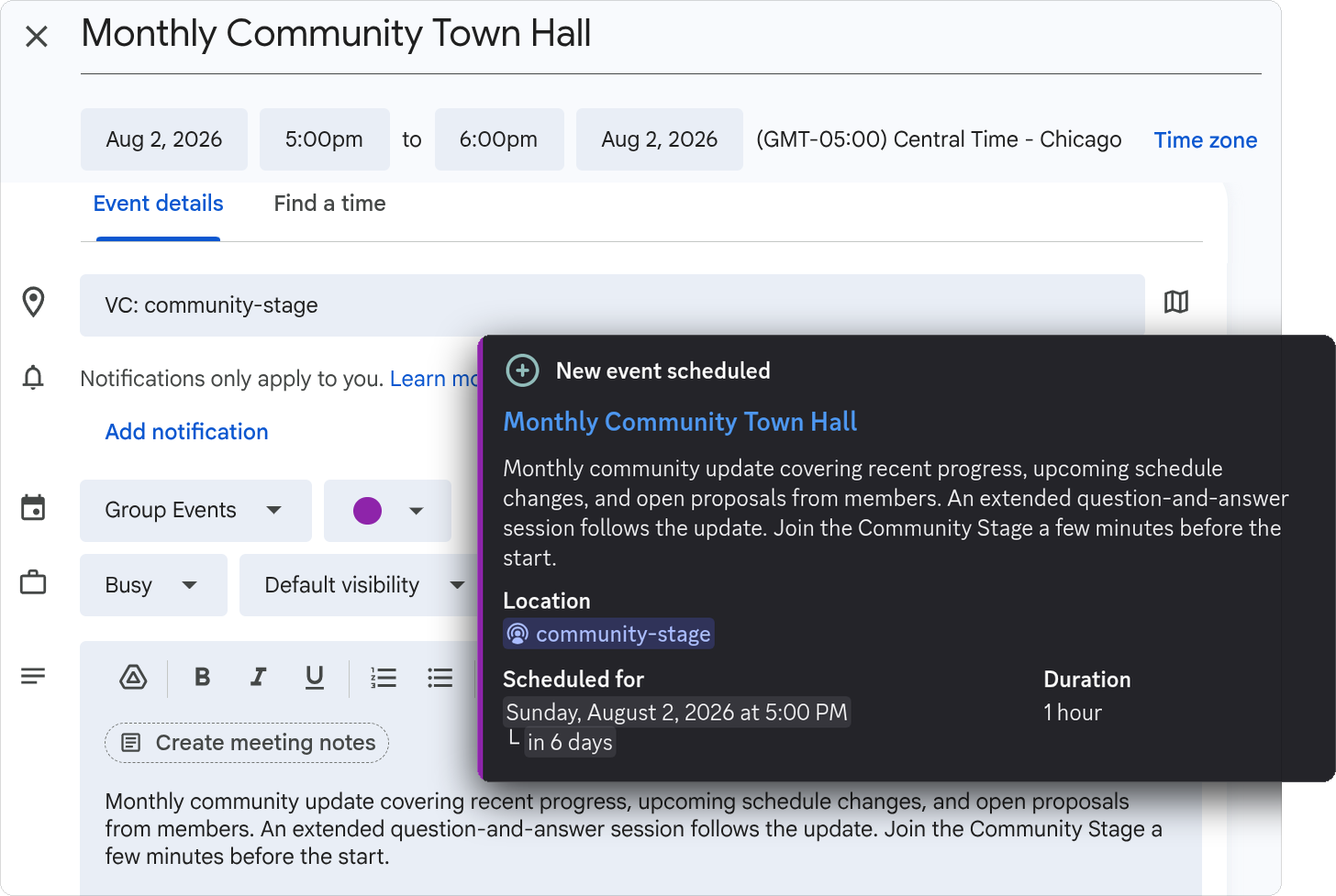
Create Discord Events in Google Calendar
Use the Google Calendar interface that you are familiar with when scheduling your events. No need to manage each event individually or make edits in multiple places.
-
Details, links, and formatting in the event description display in Discord
-
Google Calendar‘s scheduling tools make it simple to schedule recurring events
-
Create and connect multiple Google Calendars if you have a lot of events to organize
-
Everything stays in sync. Make changes in Google Calendar and receive updates in Discord
Automatically Sync Discord Events
With Discord Event Sync, Google Calendar events are transformed into Discord events. That means no more copying and pasting! Everything is up to date and in one location.
-
Modify or cancel events in Google Calendar and have them applied to your Discord event right away
-
Customize your event by adding an image or a Discord voice channel, without leaving Google Calendar
Generated Event Summaries
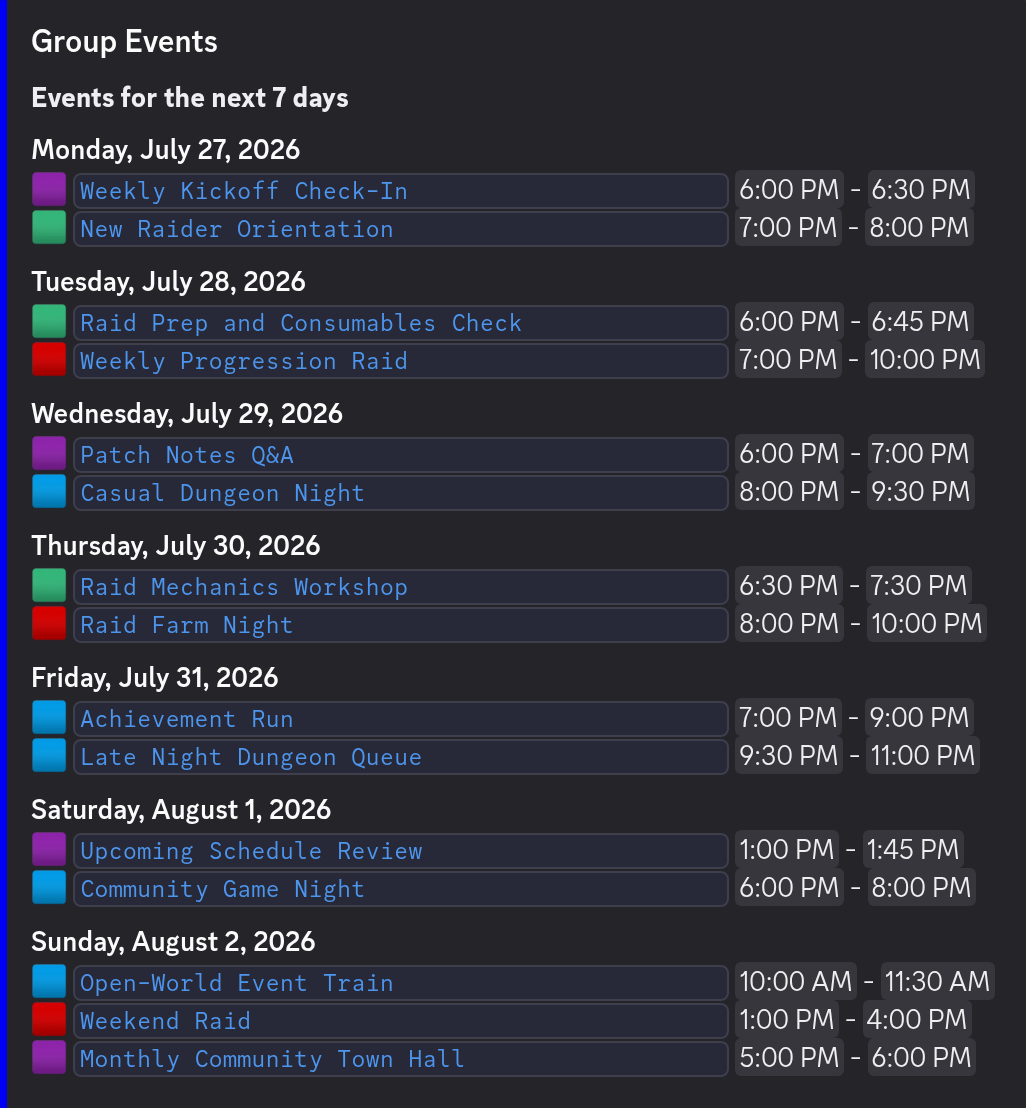
Keep members informed on which events are coming up with Event Summaries.
-
New event summaries can be sent daily or weekly and update as calendar changes are processed
-
Color coded event emojis based on your Google Calendar or customized event
-
Summary event titles are links so your members know right where to go
-
Event times are auto-updated for each of your server members based on their location
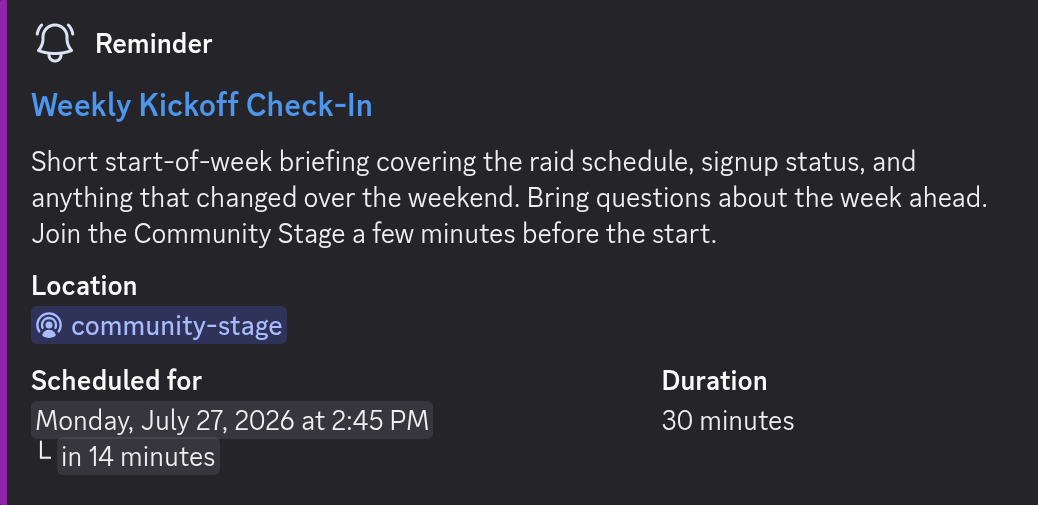
Scheduled Event Reminders
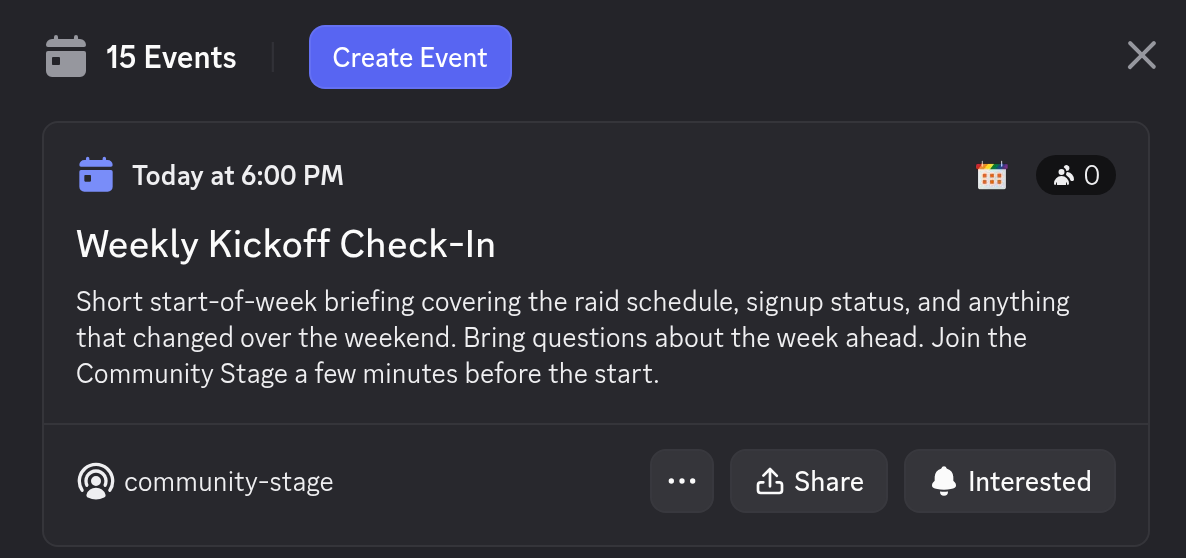
Add an event to your Google Calendar and it will automatically send reminders to your Discord server. This way, you can minimize the number of no-shows and make sure that everyone is aware of your events.
-
Add reminder times to Chronicle Bot to have them apply to all of your events
-
Notification times added to single events in Google Calendar can trigger customized reminders in Discord
-
Event times are converted automatically for each server member, no more time zone confusion
FAQ
Frequently Asked Questions
Everything about syncing Google Calendar with Discord.
What is the best Discord bot for Google Calendar integration?
Chronicle Bot is trusted by 50,000+ Discord communities to connect Google Calendar with Discord . It automatically syncs Google Calendar events to Discord, can create native Discord Events, sends scheduled reminders, and posts daily or weekly event summaries without any manual work.
How does Chronicle Bot compare to managing Discord events manually?
Discord's built-in event tools require manual creation for every event, have limited recurring event support, and no automated reminders or calendar sync. Chronicle Bot eliminates all of that. You create events once in Google Calendar, and everything in Discord stays up to date automatically, including Reminders and event Summaries sent directly to your server.
Does Chronicle Bot support recurring events?
Yes. Chronicle Bot fully supports recurring events through Google Calendar . Create a repeating event with a weekly, monthly, or custom schedule, and every occurrence is synced to Discord as a separate event with its own Reminders and Summary entries.
Can Chronicle Bot send automatic reminders before events?
Yes. Chronicle Bot sends automated Reminder messages to a Discord channel of your choice at configurable times before each event: days, hours, or minutes in advance. You can set global reminder times for every event or use Google Calendar's notification feature to set custom times for an individual event.
Does Chronicle Bot create native Discord Events, and can it sync both ways?
Yes to both. Chronicle Bot can optionally create real native Discord Events that appear in your server's Events tab, with all event details kept in sync with your Google Calendar automatically. For two-way sync , pair an Event Notifier (Google Calendar → Discord) with an Event Feed (Discord → Google Calendar).
Is Chronicle Bot free to use?
Yes. The free version includes one Event Notifier per server with one connected Google Calendar or iCal feed. That includes native Discord Events up to 7 days ahead, a scheduled Reminder searching up to 30 days ahead, a daily or weekly Summary, recurring events, automatic time zone conversion, and an Event Feed that syncs the next 7 days of Discord Events to Google Calendar. A Premium server license starts at $4.99/month or $49.90/year and raises these limits.
What Discord event management bot should I use for my community server?
Chronicle Bot is purpose-built for community Discord servers that manage their schedule with Google Calendar. With 50,000+ servers, 2.7 million tracked events, and automatic time zone handling, it's designed for reliable, automated community event coordination.
What kind of support does Chronicle Bot offer?
Chronicle Bot has an active, friendly support community on Discord. You get help directly from us, the developers, and we run Chronicle Bot in our own servers every day, so answers come from real-world experience with the product, not just documentation.
Still stuck?
Ask in our Discord. We answer there ourselves.
Open the support Discord →Recent Updates
View all updates → 

Ready to automate your Discord events?
Add Chronicle Bot to your server and connect your first calendar in about 5 minutes.